Delete your Mentivox account
You can remove your account and everything in it at any time, without asking anyone's permission. This page shows exactly how, what happens afterwards, and who to contact if you cannot sign in.
Delete it yourself, in under a minute
This is the fastest route and it takes effect immediately. You need to be able to sign in.
- 1
Sign in and open your profile
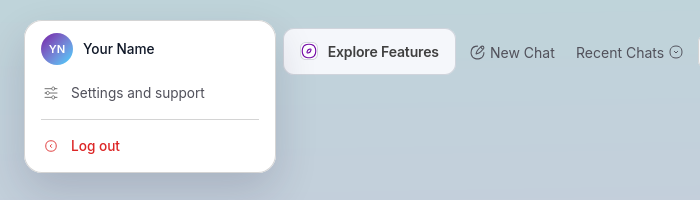
Open Mentivox and sign in. Select the round button showing your initials in the top right of the chat screen to open the profile menu.
- 2
Choose Settings and support
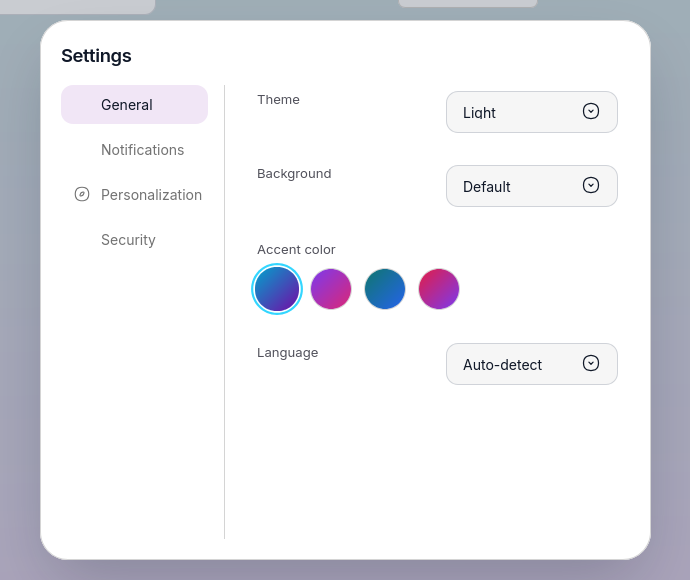
Select Settings and support from the profile menu. The settings panel opens over the chat, with General, Notifications, Personalization and Security listed down the left.
- 3
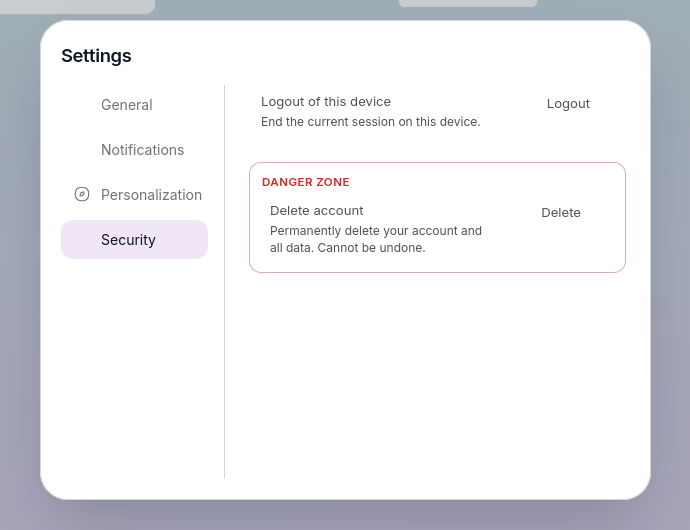
Open the Security tab
Select Security. Below the logout row is a red-outlined Danger zone containing Delete account, described as permanently deleting your account and all data.
- 4
Confirm the deletion
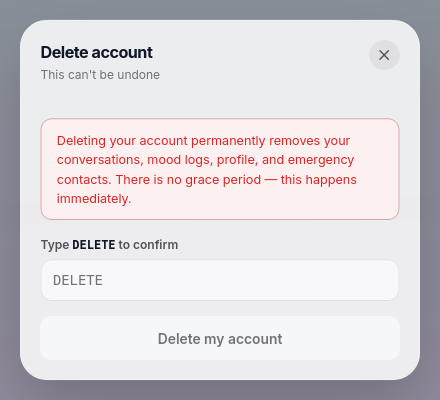
Select Delete. A dialog headed “This can't be undone” explains that your conversations, mood logs, profile and emergency contacts are removed immediately, with no grace period. Type DELETE in capitals to confirm, then choose Delete my account.
- 5
You are signed out
Your account is deleted, your session ends on this device, and you are returned to the Mentivox home page. Signing in again with the same credentials is not possible, and starting over means creating a fresh account.
Cannot sign in? Ask us by email
If you have lost access to your account, email us from the address you registered with and we will handle the deletion for you. Sending from the registered address is how we confirm the request is genuinely yours.
- Send to
- support@mentivox.com
- Subject
- Account deletion
- Include
- Hello Mentivox team, I would like my Mentivox account and all associated data to be permanently deleted. Registered email address: Reason (optional): I understand this cannot be undone. Thank you.
We respond to deletion requests without undue delay and within one calendar month, and conversation data is deleted within 30 days of a verified request, in line with our Privacy Policy.
Email a deletion requestBefore you decide
Can I get my account back after deleting it?
No. Deletion is permanent and immediate. If you want to use Mentivox again you will need to create a new account, which starts with no history and no memory.
Can I delete my conversations without deleting my account?
Yes. Contact support@mentivox.com to request removal of specific conversation memories while keeping your account.
I am a parent or guardian. Can I delete my child's account?
Yes. Email support@mentivox.com from the address associated with your consent, and we will verify the relationship before acting on the request.
How long does it take?
In-app deletion completes straight away. Email requests are answered without undue delay and within one calendar month, with conversation data deleted within 30 days of the request being verified.
Full detail lives in our Privacy Policy. Privacy-specific questions go to support@mentivox.com.